




Any questions?
Who is MBTIonline Teams for?
MBTIonline Teams is ideal for in-person or virtual teams of 3 to 125 people looking for a flexible, yet powerful, self-guided team-building experience to improve team effectiveness. It is designed to be a fully self-guided, digital learning experience that teams can complete without any previous MBTI® experience, either as a standalone team-building solution or an introductory session before additional training delivered by an MBTI Certified Practitioner.
Please note that MBTIonline Teams is intended for team development and should not be used in the hiring of new employees or the selection of individuals to form a team. The MBTI assessment, which forms the backbone of this product, is invaluable for team building, leadership development, conflict management and other uses, but as the assessment is not designed to measure aptitude or performance, it would be unethical to use it to make hiring or personnel decisions.
Do I need MBTI certification to purchase and use MBTIonline Teams
No. MBTIonline Teams does not require MBTI certification to purchase and administer. It is designed to be a fully self-guided, digital learning experience that teams without any prior MBTI experience can complete on their own.
How much time does it take for a team to go through MBTIonline Teams?
MBTIonline Teams is designed to be flexible and completed at the team’s own pace. Team members first take the MBTI assessment and validate their result through an interactive best-fit process, which takes about 30 minutes. Upon completion, they can immediately start exploring their results as they wait for others to complete the assessment.
Once everyone on the team has completed the MBTI assessment, the team portion of the experience is unlocked. At that point, team members can go through the team content individually or together in as little as a single afternoon or over a longer period—depending on how much time is available. For teams that prefer a live learning experience, a facilitator’s guide is included to help the team leader or designated facilitator lead the learning step-by-step.
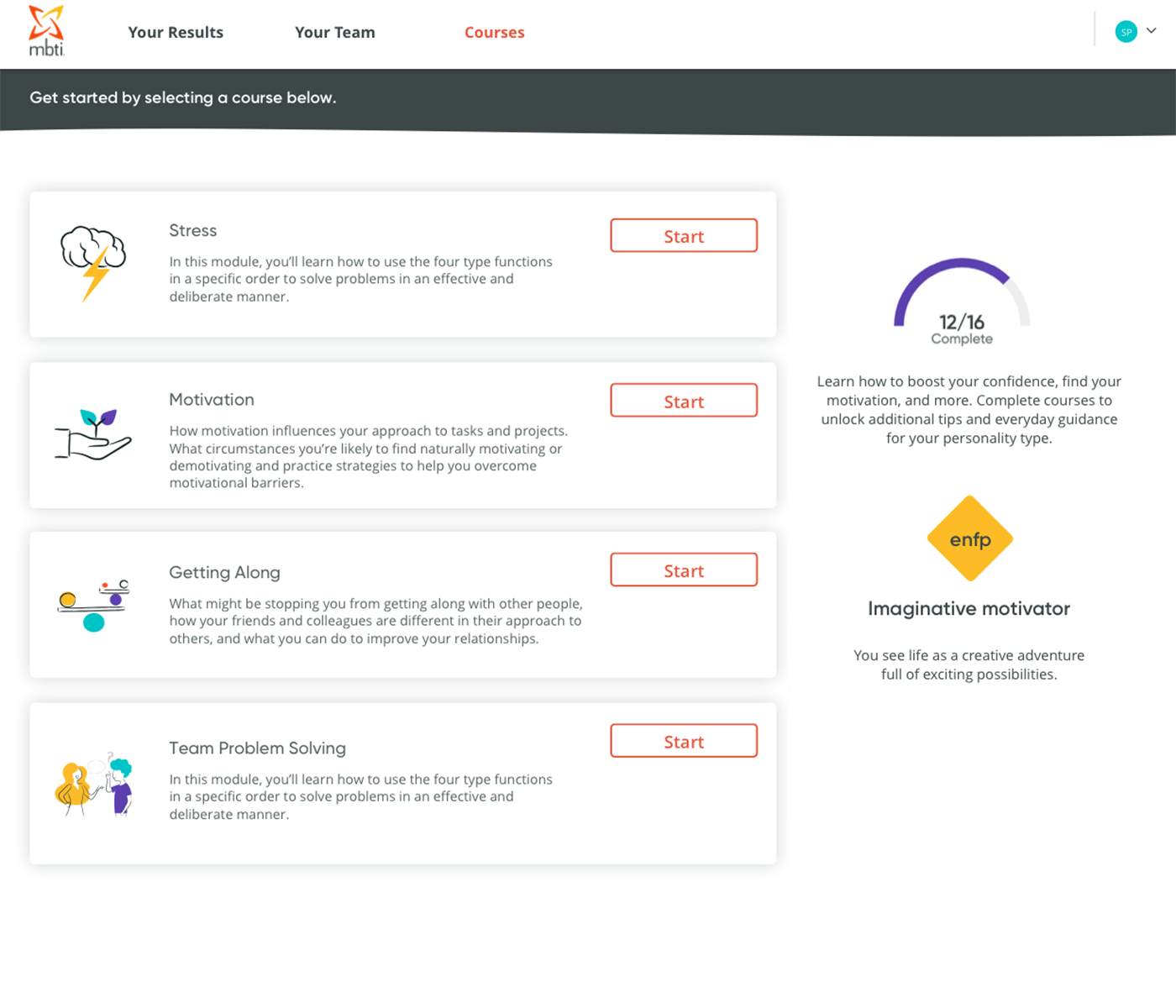
Optional self-paced courses round out the learning experience for each team member.
How do I purchase and set up MBTIonline Teams?
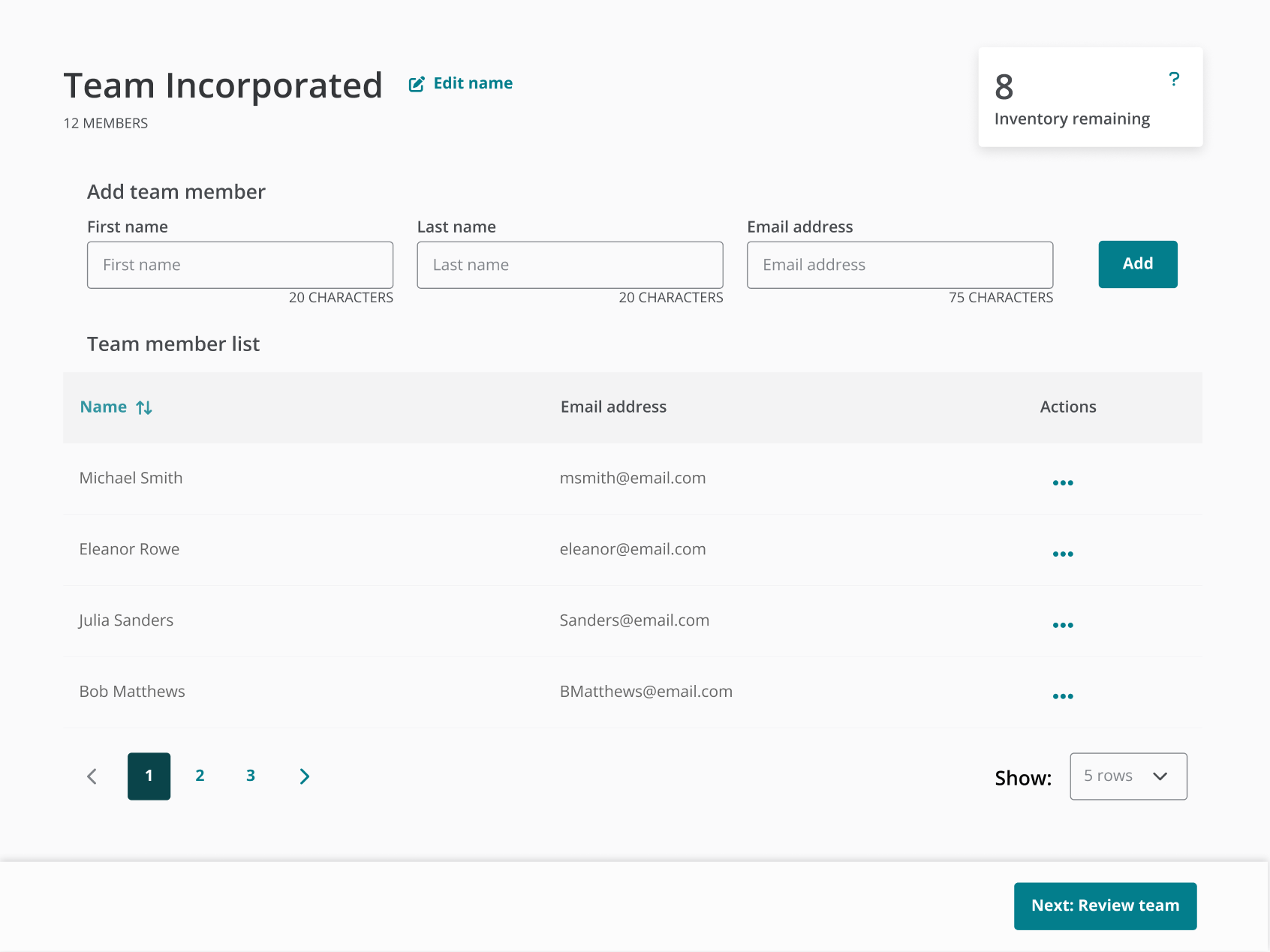
Whether you’re purchasing for your own team or on behalf of one or multiple teams, you’ll first need to purchase seats for MBTIonline Teams. Navigate to the “MBTIonline Teams” page of your account and click the "Purchase inventory" button.
Purchased seats will be added to your inventory. Seats can be used right away or whenever you’re ready. Each team member requires an allocated seat to participate in the experience.
To set up a team, you’ll need each team member’s full name and email address. Once team setup is complete, an automated email will be sent to each member with instructions to begin MBTIonline Teams.
A tutorial and step-by-step instructions are provided on the “MBTIonline Teams” page of your account. Need help? Please contact us here.
Can I add someone to, or remove someone from, a team after members have completed the MBTIonline Teams experience?
Yes. The purchaser can make changes to a team and rerun the MBTIonline Teams experience when members join or leave the team. Additional fees may apply depending on the change; for example, a seat from your inventory will be required to add a new team member to an existing team.
Can I create sub-teams?
Elevate offers the same payment option types (credits, invoice, and credit or debit card) as OPPassessment.
We don’t currently have the ability to accept payment with Amex or via iDeal and PayPal on Elevate, but we plan to enable these at a later time.
Danish Kronor has recently been made available as a purchasing currency. Should you have any questions about payment methods on Elevate, please contact our Customer Support team.
Are volume discounts available?
Yes. Volume discounts of 7.5% and 15% are available for purchases of 50+ or 250+ seats, respectively. These discounts are automatically applied during checkout.
Can people skip the assessment if they already know their MBTI type?
If an individual already knows their four-letter MBTI type from a previous MBTIonline Teams experience, they will not need to retake the assessment when completing MBTIonline Teams again. Their type will be reused automatically as long as 1) the email address associated with the individual's previous MBTIonline Teams account is used to invite them to the new team, and 2) the Elevate account that was used to administer the previous MBTIonline Teams experience is used again for the new administration.
If an individual already knows their four-letter MBTI type from an assessment previously administered by an MBTI practitioner through their Elevate account, the practitioner can reuse that type when inviting the individual to MBTIonline Teams, allowing them to bypass the assessment.
Otherwise, everyone going through the MBTIonline Teams experience will be required to take the MBTI assessment and an interactive learning session to validate their MBTI type preference.
Does MBTIonline Teams include any reports for the participants?
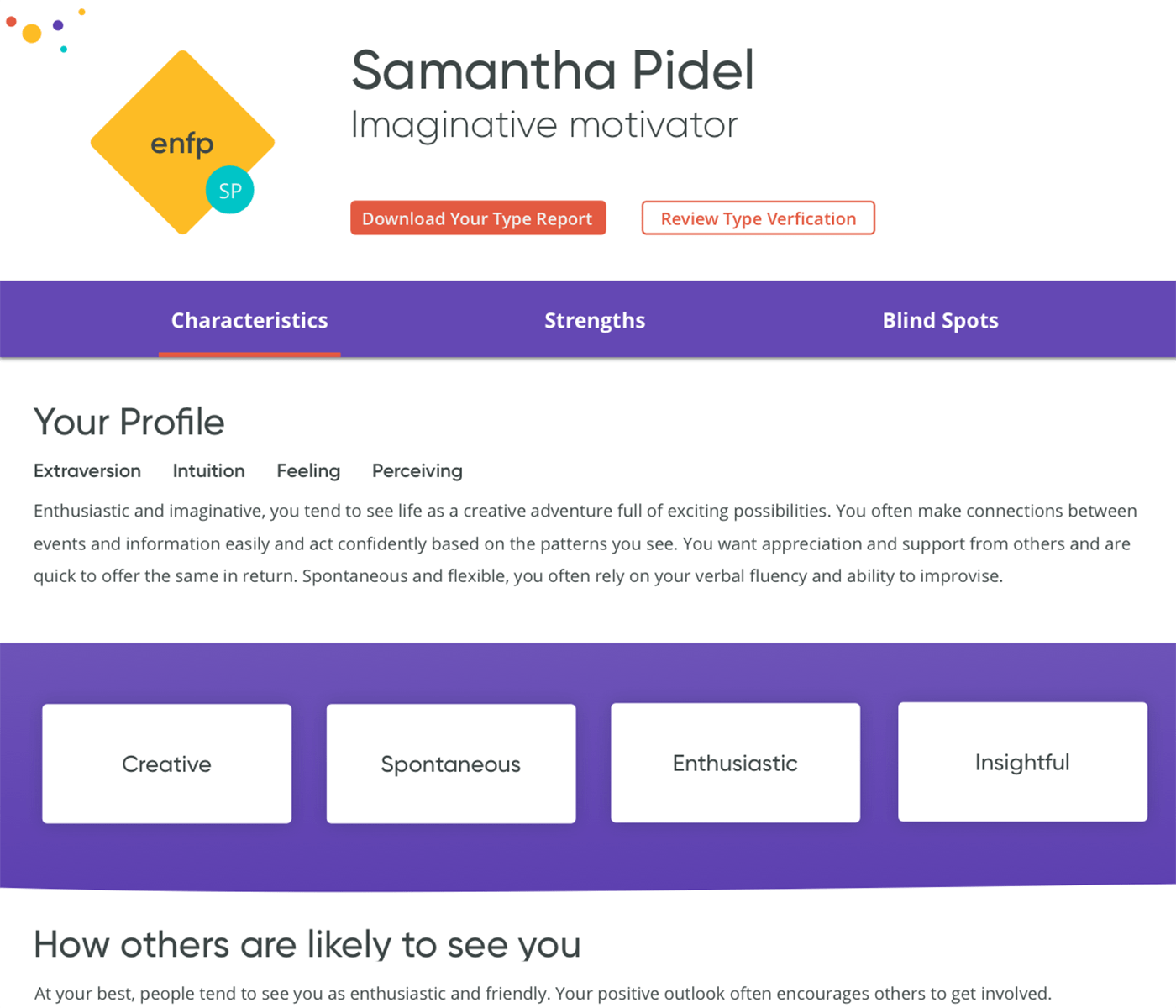
Yes. Each team member will receive a three-page Type Description report for their four-letter MBTI type and the 16-page MBTI® Team Report (Form M/Step I™). These downloadable reports are provided for reference—the contents of each report are integrated into the MBTIonline Teams online learning experience.
Does MBTIonline Teams come with a facilitator's guide?
Yes. Included with purchase is a facilitator’s guide that the team leader or facilitator can use to conduct an optional group learning session. The guide comes as a set of PowerPoint slides with facilitator notes that can be used to deliver a one-, two-, or four-hour session. Designed for use by someone who is not an expert on the MBTI assessment or personality type, the guide leverages MBTIonline Teams content to help team members:
- Learn about the gifts and potential pitfalls related to their personality type.
- Identify key strategies to use personality differences constructively.
- Gain insight into team differences and similarities.
- Create individual and team commitments to action.
How is MBTIonline Teams different from the MBTI Team Report?
The MBTI Team Report is a 16-page report that provides type insights into a team to help improve its performance. Like all MBTI reports, it is intended to be purchased and interpreted by an MBTI Certified Practitioner following an individual or group MBTI feedback session.
MBTIonline Teams is a fully self-guided, digital learning experience that can also be used for team development but does not require MBTI certification to purchase or use. The experience starts with MBTI®Complete, the MBTI assessment plus an interactive learning session that helps respondents learn about personality type theory and verify their best-fit four-letter type on their own online.
Much of the content in MBTIonline Teams is based on information from the MBTI Team Report, presented in an interactive format designed to minimize the need for professional interpretation. The MBTI Team Report is included, and participants have the option to download the report for reference if they want to.
MBTIonline Teams can serve as a standalone team-building solution or an introductory session before additional training delivered by an MBTI Certified Practitioner.